Getting your ACR Poker hand histories
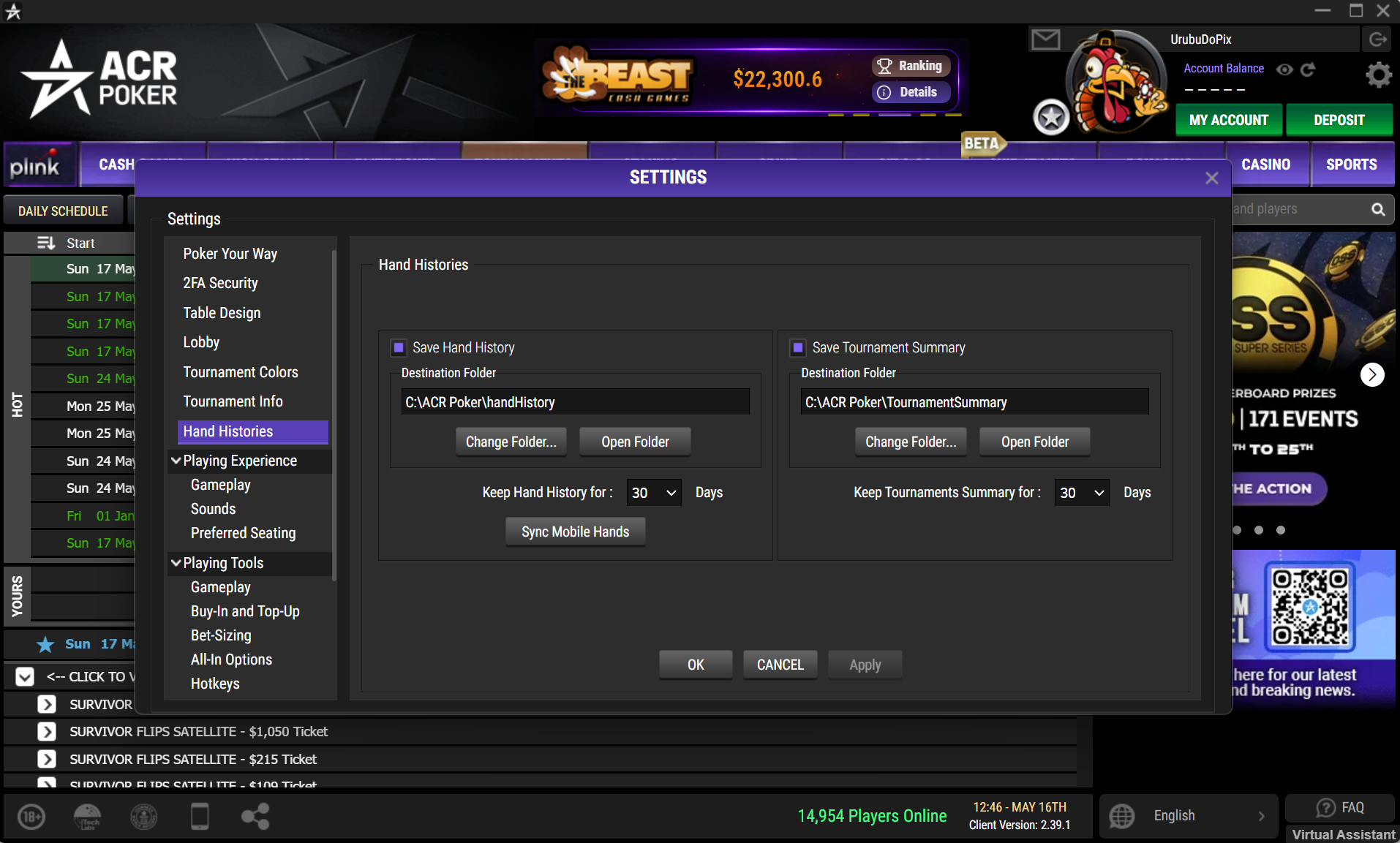
Before reviewing anything, you need your actual poker session records downloaded. ACR Poker (as part of the WPN network) preserves your hand actions in text files, which are stored locally on your computer. Here’s how I typically find and save mine:
- Log in to your ACR Poker client and navigate to the settings menu.
- Look for an option labeled ‘Hand History’ or ‘Save Hand Histories’—it’s usually under the Game or Advanced sections.
- Confirm the save location and set the duration (I personally always use the longest history possible).
- Play your session. The hands you play will be recorded in plain text format.
- At the end of your session, locate the folder where these files are created. Typical paths might look like “C:\Users\[Your Name]\Documents\AmericasCardroom\HandHistory”.
Review Your ACR Poker Hands on CheckReplay.com
Once you have your hand history files, the easiest way to study them is by uploading them to CheckReplay.com.
A dedicated poker replayer transforms raw text files into an interactive visual replay, allowing you to review every decision street by street.
Why Use Check Replay?
Check Replay was built by poker players specifically to make hand analysis fast, intuitive, and powerful.
Key Advantages of Check Replay
- Quick and intuitive upload for WPN hand history files
- Advanced tools such as:
- Pot odds calculation
- Equity vs. Equity
- Equity vs. Range
- Bubble Factor in one click
- Easy hand sharing with coaches and study partners
- Full support for:
- Tournaments and cash games
- Hold’em and Omaha
- No download required — everything runs directly in your browser
Whether you play tournaments, cash games, Hold’em, or Omaha, Check Replay makes reviewing your ACR Poker hands simple and highly effective.
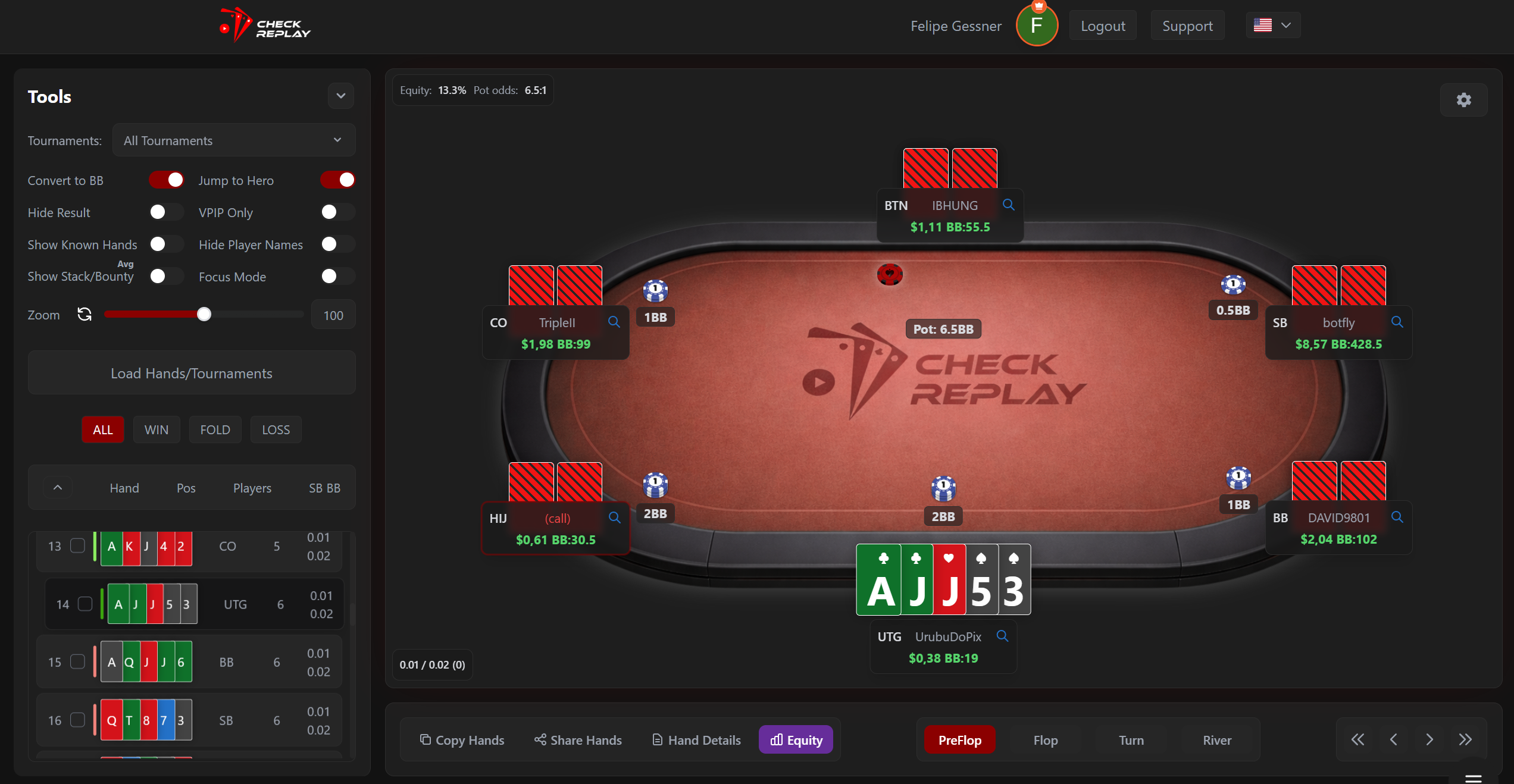
To start reviewing your ACR Poker hand histories, simply visit CheckReplay.com, create a free account, and upload your WPN hand history files.
Within seconds, you will be able to replay your hands visually, analyze your decisions with advanced tools such as Equity calculators and Bubble Factor, and share key spots with coaches or friends.
If you are serious about improving your poker game, regularly reviewing your sessions is one of the most effective habits you can build. Give Check Replay a try and turn your hand histories into valuable learning opportunities.