Quick Tutorial: How to Review CoinPoker Hands on Check Replay
If you play on CoinPoker and want to improve your game, reviewing your hands is one of the most powerful habits you can build. In this quick guide, you’ll learn exactly how to download your hand histories and replay them on Check Replay.
Step 1: Download Your CoinPoker Hand Histories
Getting your hand histories from CoinPoker is simple:
- Log in to your CoinPoker account
- Click on your profile and open the dropdown menu
- Select “Game History”
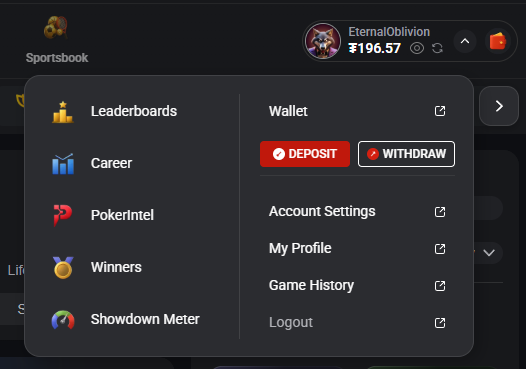
From there:
- Choose Cash Games or Tournaments (we’ll use tournaments in this example)
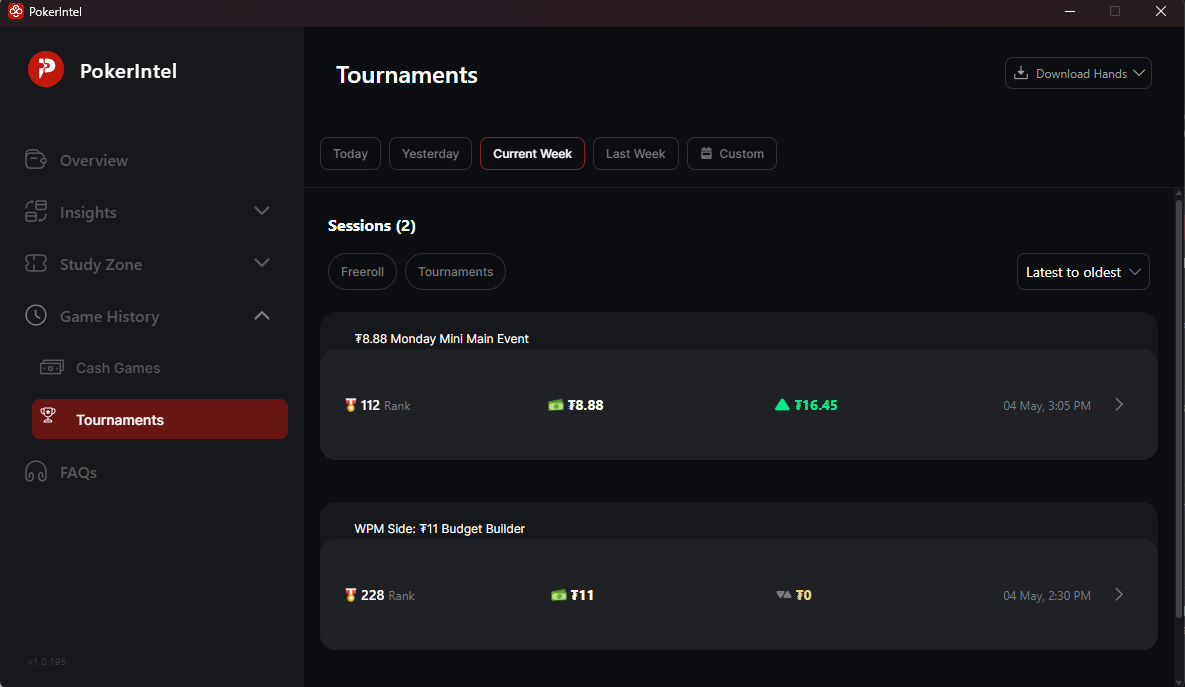
- On the top right, click “Download Hands”
- Select the date range you want
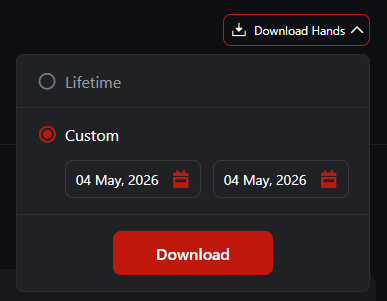
After requesting the file, just wait a few minutes. You’ll receive an email with your hand history attached.
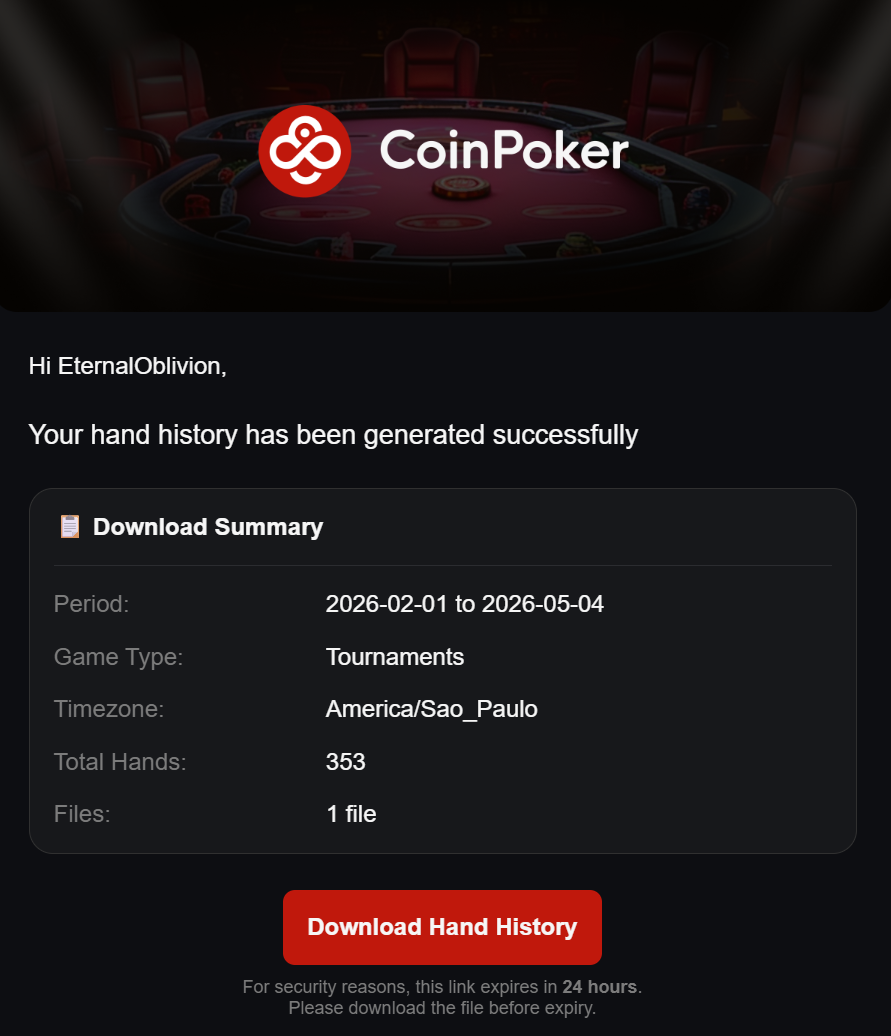
Step 2: Open Your Hands in Check Replay
Now that you have your file, let’s analyze it:
- Download the hand history file from the email
- Go to CheckReplay.com and log in
- Click “Load hands/tournaments”
- Select the file you just downloaded
That’s it — your hands are now ready to review.
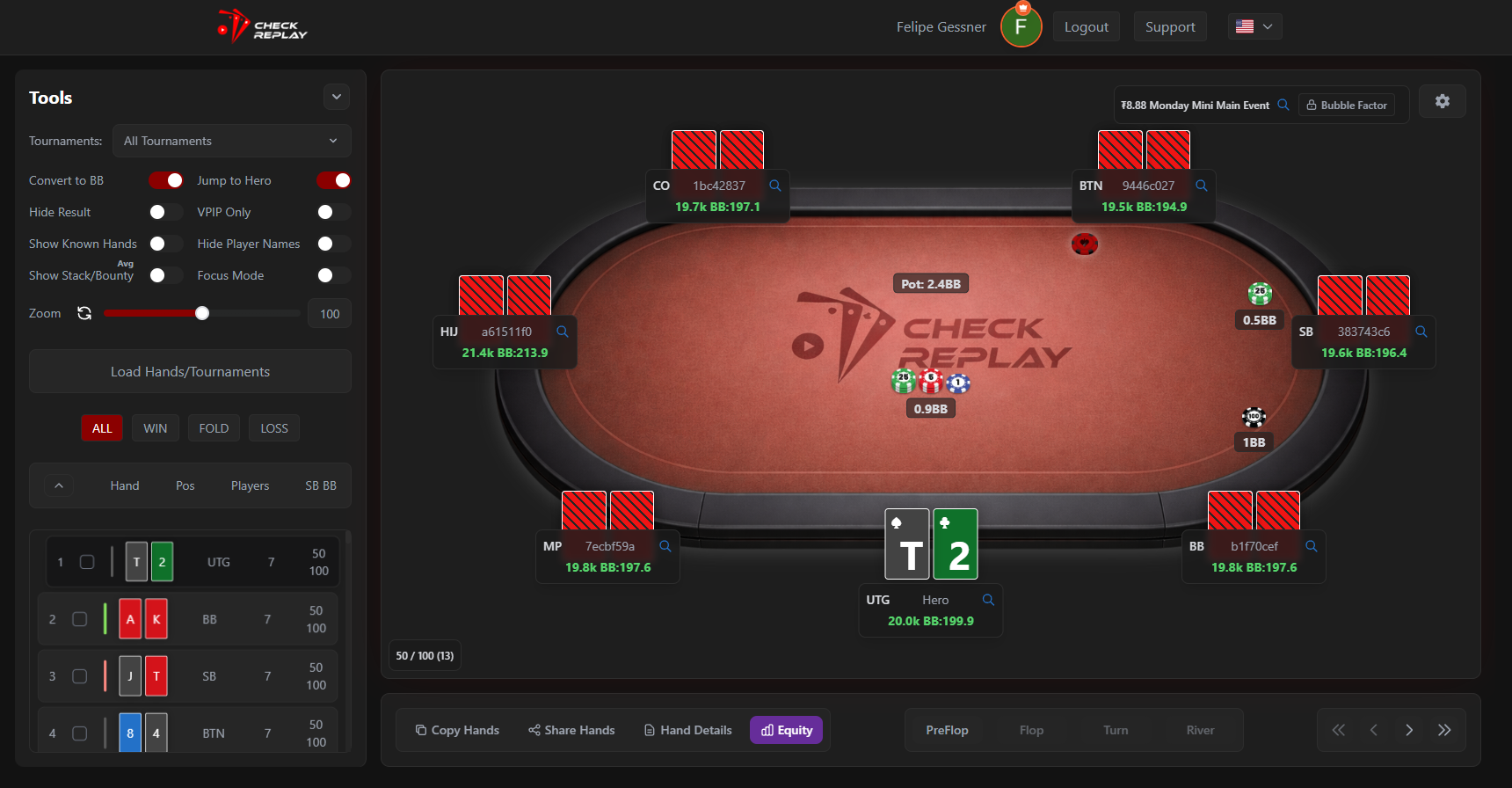
Step 3: Navigate and Filter Your Hands
Once your hands are loaded, you can:
- Scroll through hands easily using the replayer
- Analyze every decision street by street
- Use filters to find specific spots
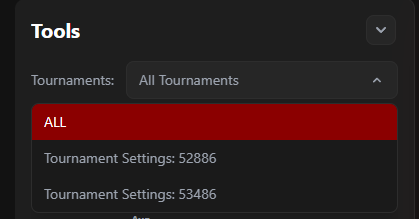
On the top-left corner, you can filter by tournament:
- Select a specific tournament
- The list will update to show only hands from that event
This makes it much easier to focus on deep runs or key spots.
Final Thoughts
Reviewing your hands consistently is one of the fastest ways to improve in poker. With Check Replay, the process becomes fast, visual, and intuitive.
Upload your hands, analyze your decisions, and start spotting leaks immediately.
That’s all for today — enjoy your reviews and good luck at the tables!